
Shop safely online by following six actions: use a secure device and network, verify the seller before you pay, use a protected payment method, lock down your accounts, keep records of every order, and know how to dispute a charge or report a scam. Skip any one of these and you’re gambling with your money and your data. The FTC and card networks like Mastercard both point to the same pattern: shoppers who verify sellers and pay with dispute-friendly methods recover their money far more often than those who don’t. Here’s what each action actually looks like.
- Keep your devices and apps updated before you shop.
- Confirm the seller’s contact info, policies, and reviews before checkout.
- Pay with a credit card or a tokenized digital wallet, never a gift card or wire transfer.
- Turn on multi-factor authentication for retailer and email accounts.
- Save confirmation emails, screenshots, and order numbers.
- Dispute suspicious charges fast and report scams to the FTC.
Key Takeaways
Safe online shopping comes down to verifying the seller, paying with a protected method, and keeping records so you have leverage if something goes wrong.
| Point | Details |
|---|---|
| Verify before you pay | Check the URL, contact info, return policy, and independent reviews before entering payment details. |
| Use protected payment methods | Credit cards and tokenized digital wallets offer dispute rights that gift cards and wire transfers do not. |
| Lock down your accounts | Use a password manager, unique passwords, and multi-factor authentication on retailer and email accounts. |
| Keep every record | Save confirmation emails, order numbers, and screenshots in case you need to dispute a charge. |
| Shop on retailers with visible policies | Savycart publishes shipping, return, and tracking details so shoppers can verify a seller’s promises before and after checkout. |
Table of Contents
- Common Online Shopping Scams and Red Flags
- How to Verify a Website or Seller Is Legitimate Before You Buy
- Secure Payment Methods: What to Use and What to Avoid
- Device and Network Hygiene: Keep Your Shopping Device Safe
- Protect Your Accounts and Personal Data While Shopping
- After Purchase: Tracking, Records, and Reporting a Scam
- Printable Checklist and Pro Tips for Safer Checkout
- Why Savycart Treats Checkout Security as Non-Negotiable
- Shop Smarter on Savycart With Built-In Safeguards
- Sources
- FAQ
Common Online Shopping Scams and Red Flags
Fake storefronts are the easiest scam to fall for because they mimic real brands down to the logo and font. Scammers clone a legitimate site, undercut its prices significantly, and disappear once the payment clears. Phishing emails follow a similar playbook, disguising themselves as shipping updates or “your order has a problem” alerts that lead to a fake login page designed to steal your password.
Watch for these red flags before you click buy:
- No physical address, phone number, or working customer service contact.
- Prices dramatically below every competitor for the same item.
- Pressure to pay by gift card, wire transfer, or cryptocurrency.
- Countdown timers or “only 2 left” urgency on a brand-new site.
- Tracking links that don’t match the carrier’s actual site (a fake UPS or FedEx domain, for example).
Counterfeit goods sold through third-party marketplace listings are another common trap. The listing photos look identical to the real product, but the seller has no return policy and vanishes after a handful of complaints.
How to Verify a Website or Seller Is Legitimate Before You Buy
Before you enter a card number, run through this quick sequence:
- Check the URL carefully. Look for misspellings, extra characters, or a domain that doesn’t match the brand name exactly.
- Confirm HTTPS, but don’t stop there. The padlock icon shows the connection is encrypted. It does not prove the business behind the site is honest. Scammers can and do get valid certificates for fraudulent shops.
- Look for real contact details. A legitimate seller lists a phone number, email, and physical address, plus clear return and privacy policies.
- Read independent reviews outside the site itself. Check the Better Business Bureau, Trustpilot, or a quick search for the brand name plus “complaints.”
- On marketplaces, check the seller’s history. A profile created last week with zero completed sales is a warning sign, regardless of how polished the listing photos look.
Pro Tip: If a store is brand new and has no reviews, look up its domain age through a free WHOIS lookup. A site registered two weeks ago selling “luxury” products at 80% off is not a coincidence.
Sites with a documented shipping and return policy give you something concrete to hold them to if the order goes wrong.
Secure Payment Methods: What to Use and What to Avoid
Credit cards remain the strongest tool you have. They typically carry fraud protection that limits your liability for unauthorized charges to $0, and they come with a formal dispute process if a seller never ships or sends something different from what you ordered. Debit cards and bank transfers don’t offer the same leverage because the money leaves your account immediately, with far weaker recourse.
Digital wallets add another layer of protection. Apple Pay, Google Pay, and similar services use tokenization, swapping your actual card number for a one-time identifier the merchant never sees. Virtual or single-use card numbers work the same way and are especially useful for a store you’re trying for the first time.
Avoid these payment methods entirely for online purchases:
- Gift cards (a top request from scammers because they’re untraceable).
- Wire transfers or bank-to-bank transfers to a stranger.
- Cryptocurrency payments to an unfamiliar seller.
- Peer-to-peer apps like Zelle or Venmo for anything you haven’t received in person.
A practical habit: set up transaction alerts on your card and keep a dedicated low-limit card just for online shopping. If it’s compromised, the damage is capped.
Device and Network Hygiene: Keep Your Shopping Device Safe
Your phone or laptop is the front door to every account you own, and an outdated one is an open door. Keep your operating system, browser, and shopping apps updated, ideally with automatic updates turned on, so security patches install without you having to think about it.
Run a reputable antivirus scan periodically, especially on Windows machines that see the most malware targeting. And never shop over public Wi-Fi at a coffee shop or airport. Cyber recommends using cellular data, your phone’s personal hotspot, or a trusted VPN instead, since public networks make it easy for someone nearby to intercept your traffic.
- Enable automatic updates on your OS, browser, and shopping apps.
- Run antivirus scans on a regular schedule, not just when something feels off.
- Skip public Wi-Fi for anything involving payment info.
- Use a private browser window for a one-time purchase on a shared or public computer.
Pro Tip: Private browsing doesn’t hide your traffic from your network, but it does stop the browser from saving your card details, address, and login on a device that isn’t only yours.
Protect Your Accounts and Personal Data While Shopping
Every saved password you reuse is a lock that opens more than one door. A password manager generates and stores a unique password for every retailer account, so a breach at one store doesn’t hand a scammer access to your email or bank login too.
- Use a password manager and give every shopping account its own password.
- Turn on multi-factor authentication for your retailer, email, and payment accounts wherever it’s offered.
- Choose guest checkout when it’s available, or decline the option to save your card on file.
- Review the permissions on shopping apps and trim your profile down to what shipping actually requires.
Saved cards and one-click buying feel convenient, but that convenience is exactly what security guidance from the NCSC flags as a risk multiplier. Entering your card manually each time takes ten extra seconds and closes a door a scammer would otherwise walk through.
After Purchase: Tracking, Records, and Reporting a Scam
Save everything the moment you check out: the confirmation email, the order number, and a screenshot of the product listing and return policy in case the seller later “updates” it. This documentation is your entire case if a dispute becomes necessary, a point government consumer guidance reinforces directly.
Watch for fake tracking messages, too. If a text or email link asks you to “confirm your address” or “pay a customs fee” to release a package, don’t click it. Go straight to the carrier’s official site and enter the tracking number yourself, or check it through the retailer’s own order tracking tool.
If a charge looks wrong or an item never arrives:
- Contact the seller first, in writing, and give them a reasonable window to respond.
- Dispute the charge with your card issuer if the seller doesn’t resolve it. Many issuers will provisionally credit your account while they investigate, provided you act quickly and keep your communications on file.
- File a report at ReportFraud.ftc.gov so the pattern gets tracked, even if your individual case gets resolved.
Printable Checklist and Pro Tips for Safer Checkout
Save this sequence for every purchase, especially from a retailer you haven’t used before:
- Confirm the URL, contact info, and return policy.
- Search the brand name plus “reviews” or “complaints.”
- Pay with a credit card, virtual card, or tokenized wallet, never a gift card.
- Turn on MFA and use a unique password for the account.
- Skip public Wi-Fi; use cellular data or a VPN.
- Screenshot the listing and save the confirmation email.
Pro Tip: For any retailer you’re trying for the first time, use a low-limit virtual card number instead of your main card. If the store turns out to be a dead end, your exposure is capped and the number can be shut off in seconds.
Pro Tip: A quick WHOIS lookup on an unfamiliar site’s domain tells you when it was registered. A “boutique” brand that’s three weeks old with a stock photo homepage deserves extra scrutiny before you type in a card number.

Why Savycart Treats Checkout Security as Non-Negotiable
Savycart’s checkout is built around the same principles this guide walks through: clear seller information, transparent shipping and return terms, and order tracking that lets shoppers verify a delivery instead of trusting a random text message. We publish our refund policy up front rather than burying it, because a shopper who can read the terms before buying is a shopper who’s harder to scam.
— SavyCart
Shop Smarter on Savycart With Built-In Safeguards
Plenty of comparison sites and marketplace listings leave you to verify a seller’s history on your own. Savycart removes that guesswork by putting order tracking, return terms, and refund eligibility in plain view before you ever reach checkout.
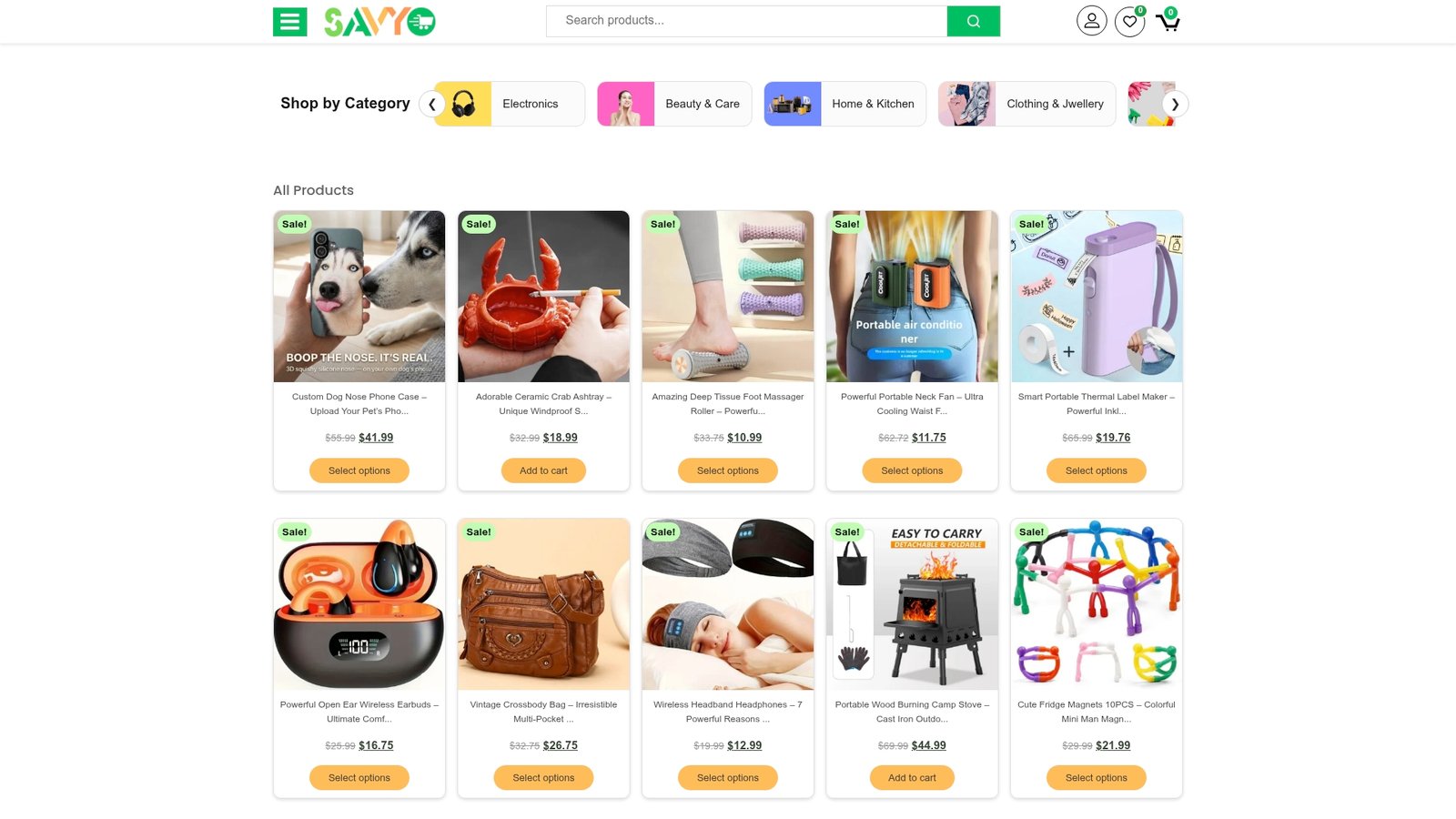
Every order on Savycart comes with access to real-time shipment tracking, so you can confirm a delivery status yourself instead of clicking a link in a suspicious text. Combine that with the habits from this guide, a credit card or tokenized wallet, unique passwords, and MFA, and you’ve covered the checklist that actually keeps online shoppers safe. Browse the current deals on Savycart’s homepage and check out with confidence, knowing exactly what happens if something goes wrong.
Sources
FAQ
What Is the Most Trusted Online Shopping Site?
There’s no single “most trusted” site. Trust comes down to a retailer’s visible return policy, verifiable contact information, and independent reviews, criteria that apply whether you’re shopping a major marketplace or a site like Savycart.
What Is the Safest Place to Buy Online?
The safest purchases happen on sites with clear seller information, encrypted checkout, and a documented return and refund process, paired with paying by credit card or a tokenized digital wallet.
How Do I Know if an Online Shopping Site Is Safe?
Check for HTTPS, a real physical address and phone number, independent reviews outside the site itself, and a return policy you can actually read before buying. The padlock icon alone doesn’t confirm legitimacy.
What Is the Most Secure Way to Buy Online?
Credit cards and tokenized digital wallets are the most secure payment methods because they limit your liability for unauthorized charges and give you formal dispute rights if an order goes wrong.